


Want to start a blog, but not sure which blogging platform to choose?
Most popular blogging platforms make getting started incredibly easy. The real differences only show up later, when you try to monetize, customize design, or move your content, and discover that your platform won’t let you.
After 17+ years of helping thousands of users start blogs, we’ve learned that picking the wrong platform on day one is the most common (and costly) mistake beginners make.
That’s why we re-test the top blogging platforms every year to compare new features and checking the real costs behind the “free” plans. Here are our 6 best blogging platforms for 2026, freshly re-evaluated, with honest recommendations for different use-cases.

Best Blogging Platforms Comparison – Quick Overview
| Platform | Cost | Skill Req. | Newsletters | eCommerce |
|---|---|---|---|---|
| WordPress | ~ $3/month | Low | Plugin | WooCommerce |
| Ghost | $15/month | Low | Built-in | Stripe |
| Substack | Free; 10% fee on paid subscribers | Zero | Built-in | Paid Subs |
| Medium | Free | Zero | Built-in | None |
| Wix | Free plan; paid from $17/month | Low | Built-in | Native |
| Squarespace | $10/month | Low | Built-in | Native |
How we Evaluate Blogging Platforms
Instead of creating a list of all the random blogging platforms, we focused on platforms that are widely trusted, beginner-friendly, and have a proven track record of helping people build successful blogs. We also ruled out platforms that are difficult to use, limit your ability to grow, or make it hard to move your content later.
When comparing blogging platforms, we looked at the following factors:
- Ease of Use: How easy it is to set up your blog, publish your first post, and manage your content without technical skills.
- Ownership & Portability: Whether you own your content and domain name, and how easy it is to export your blog if you decide to switch platforms.
- Design & Customization: The quality of the available themes and templates, along with how much you can customize your site’s design without writing code.
- SEO & Monetization: Whether the platform helps you grow your audience through SEO and / or supports monetization options like ads, memberships, newsletters, affiliate marketing, or selling products.
- Value for Money: The overall value of the free and paid plans, including which features are included and any long-term costs.
- Support & Community: The quality of the documentation, customer support, tutorials, and the size of the user community when you need help.
Here’s a quick look at the platforms we will review:
- 1. WordPress – Best Overall Blogging Platform
- 2. Ghost – Best for Professional Publishers and Paid Newsletters
- 3. Substack – Best for Newsletter-First Creators
- 4. Medium – Best for Reaching an Existing Audience
- 5. Wix – Best for All-in-One Business Websites With a Blog
- 6. Squarespace – Best for Beautiful Portfolio Websites
- Which Is the Best Blogging Platform?
- Frequently Asked Questions About Blogging Platforms
1. WordPress – Best Overall Blogging Platform
Testing process: We run WPBeginner blog and many of our other websites on WordPress, including membership sites, online stores, communities, and business websites.
| Best for | An all-around blogging & website platform that grows with you |
| Pricing | Free platform, ~$2–6/mo for hosting |
| Pros | • Free, open-source, and fully yours • 68,000+ plugins and thousands of themes • Excellent SEO, backed by powerful plugins • Has support for eCommerce, memberships, or business site |
| Cons | • Needs hosting and a domain • You handle updates and backups (easily automated) |
WordPress is the world’s most popular blogging and website building platform, powering over 40% of all websites. It’s also the platform we recommend to most readers because it offers the best balance of ease of use, flexibility, and long-term growth.
Whether you’re starting a personal blog, launching a company blog, or building a large online publication, WordPress can handle it.
That is why it’s trusted by well-known brands like TechCrunch, The Walt Disney Company, Sony Music, and, of course, WPBeginner.
Our Experience
Since WPBeginner has been running on WordPress for over 17 years, it’s the blogging platform we know best. We’ve used it to publish thousands of articles, grow our audience, and continuously improve our content strategy.
The biggest reason we keep recommending it is that it grows with your blog.
You can start with a simple blog today and add the features you need as your audience grows, whether that’s better SEO, email newsletters, sell courses, have private memberships, or even create an online store. You never have to switch to a different platform.
One feature we really like is the built-in block editor. It lets you create rich blog posts by simply adding and rearranging blocks for text, images, videos, buttons, galleries, and more.
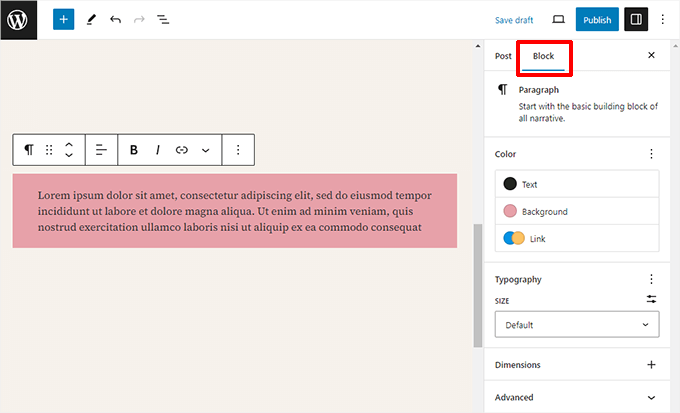
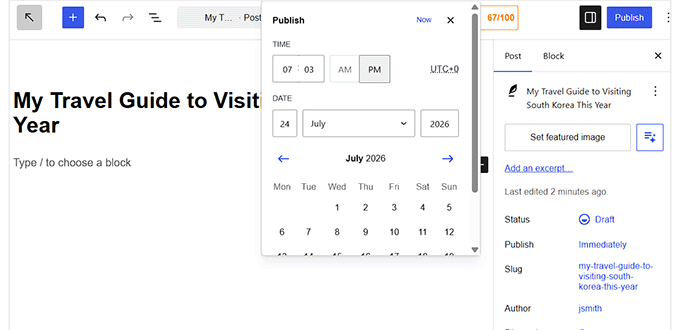
WordPress also supports the entire publishing workflow. You can save drafts, preview posts before publishing, schedule articles, and use revisions to restore earlier versions.
As our content library has grown, we’ve found WordPress just as easy to manage.
We use categories and tags to organize articles, while plugins help us optimize posts for SEO, recommend related content, grow our email list, and keep the comments section free of spam.
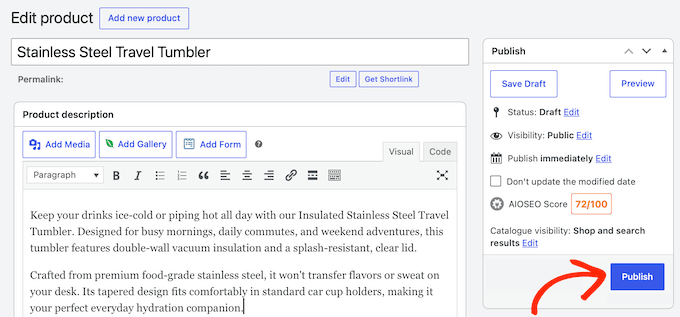
That flexibility also extends to monetization.
As your blog grows, you can add display ads, do affiliate marketing, sell memberships and online courses, create private communities, or even sell physical and digital products. The best part? Unlike other platforms, you keep 100% of what you earn, and there are no plan upgrades or platform approval needed.
Another advantage is the huge WordPress community. Whenever you get stuck, you can usually find a tutorial, official documentation, or forum discussion that helped us move forward.
The biggest trade-off is that WordPress.org is self-hosted, so you’ll need web hosting and a domain name. Plus, you’ll be responsible for updates, backups, and basic maintenance.
That might sound intimidating at first, but it really isn’t. Most beginner-friendly hosting providers let you install WordPress with just one click, and many also handle updates, backups, and security for you.
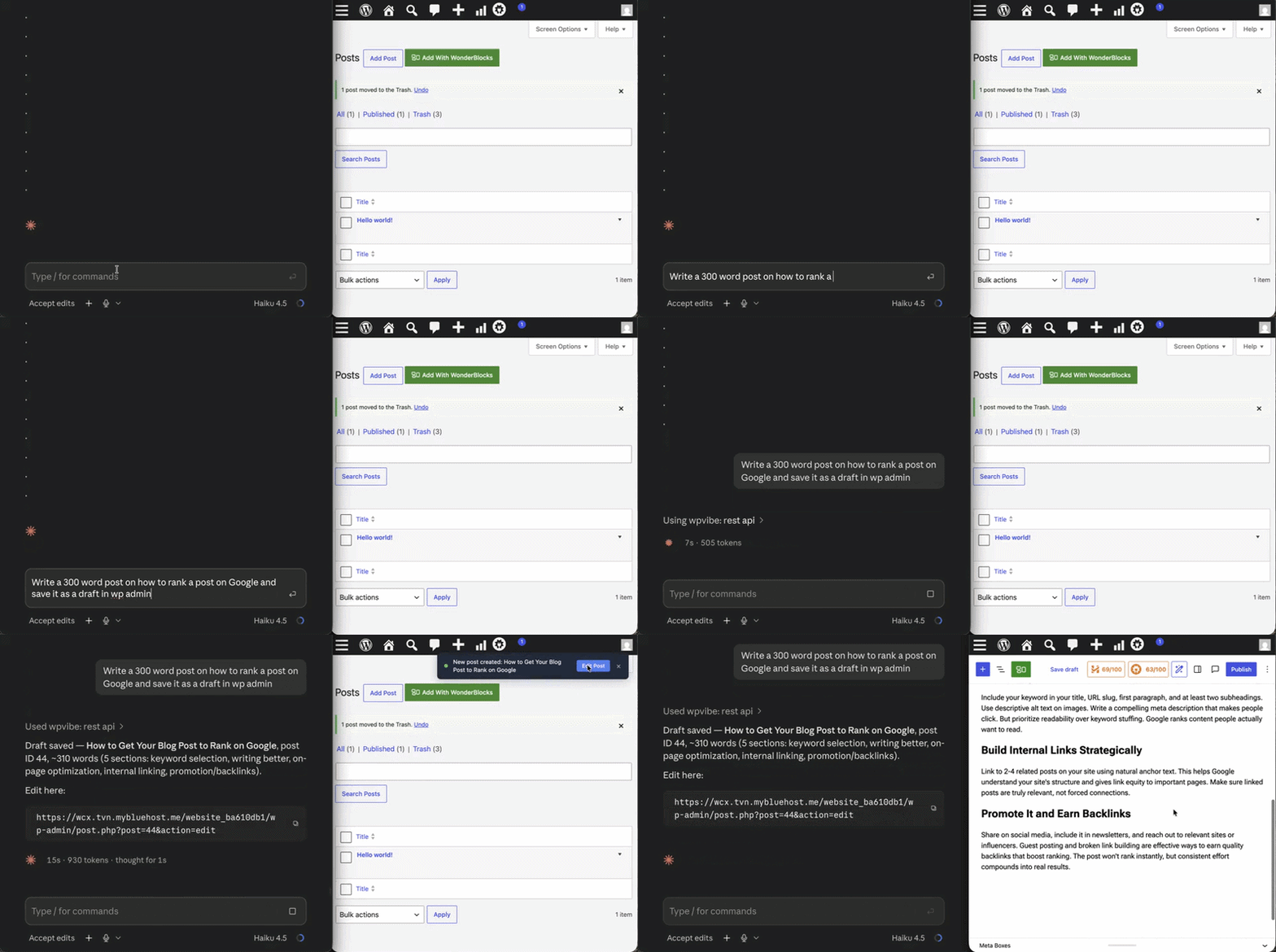
You can even connect WordPress with your preferred AI tool like Claude, ChatGPT, etc and build your site by simply prompting in the language you speak.
If you’d rather skip website maintenance altogether, then WordPress.com offers a hosted version of the same software. It also now includes plugin support on all paid plans, making it a much more affordable option than before.
Both platforms run the same WordPress software, so the main difference is whether you want to manage the hosting yourself or have it managed for you. You can also see our comparison of WordPress.com vs. WordPress.org to learn more.
2. Ghost – Best for Professional Publishers and Paid Newsletters
Testing process: We tested Ghost while researching this comparison, focusing on its writing experience, newsletter tools, memberships, and overall publishing workflow.
| Best for | Owning your publication while monetizing paid newsletters |
| Pricing | From $15/mo, or self-host for free |
| Pros | • Clean, distraction-free writing • Built-in newsletters, memberships, and paid subscriptions • Fast, lightweight performance • Native analytics and audience tools |
| Cons | • Smaller ecosystem than WordPress • Self-hosting is technical • Ghost Pro costs more than basic WordPress hosting • Paid plans cap your members, and pricing climbs as your list grows |
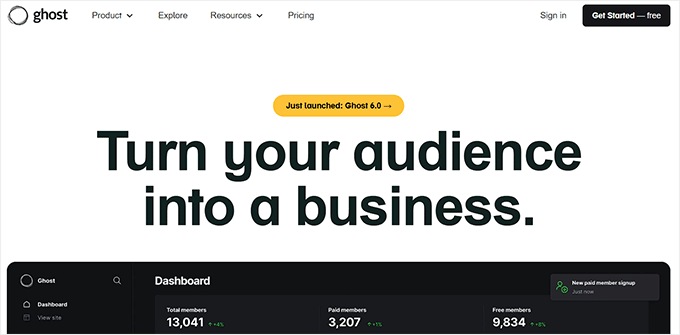
Ghost is a publishing platform built for writers who want to turn their content into a business.
Instead of trying to be an all-purpose website builder, it focuses on publishing, newsletters, and memberships, with all of those features built in from the start.
We recommend it for creators who want to grow a newsletter-first publication without relying on lots of third-party tools.
Our Experience
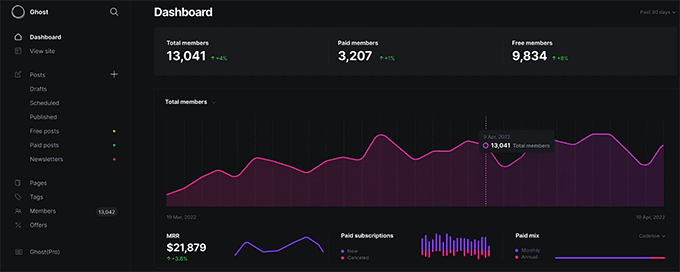
The first thing we noticed after signing up was how clean the Ghost dashboard felt.
Unlike WordPress, there aren’t dozens of settings competing for your attention. We were able to start writing almost immediately, which let us spend more time creating content instead of configuring our website.
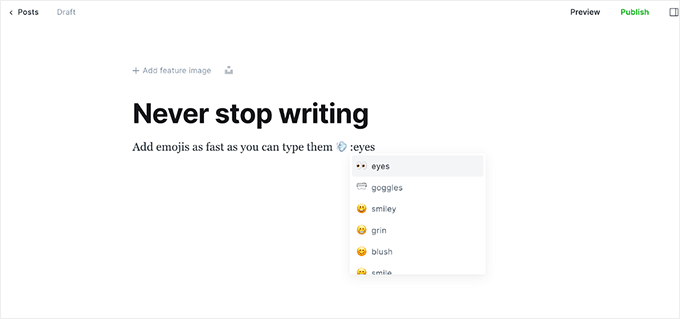
We especially enjoyed using the editor. It’s clean, responsive, and stays out of the way while you write. At the same time, it makes it easy to add images, videos, galleries, buttons, bookmarks, and other rich content without cluttering the interface.
Beyond the writing experience, what really makes Ghost stand out to us is that it gives you complete ownership of your publication.
You control your content, branding, and website, so you’re not locked into someone else’s platform as your audience grows.
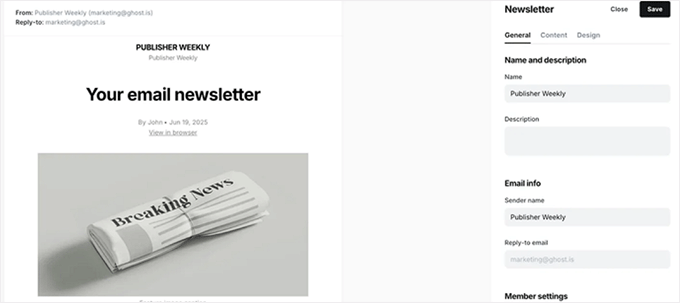
Ghost also includes newsletters and paid memberships out of the box. From the same dashboard, we could collect email subscribers, send newsletters, create members-only content, and accept recurring payments without installing extra plugins or connecting different services.
That meant we could build an audience first and then turn our newsletter or exclusive content into a recurring source of income when we were ready.
Even better, unlike Substack which we’ll cover later, Ghost doesn’t take a percentage of your revenue. Once you’ve covered your hosting or Ghost Pro subscription, the rest of your subscription income is yours to keep.
We also liked the built-in dashboard. Instead of switching between different analytics and email marketing tools, we could see our member growth, paid subscriptions, newsletter subscribers, engagement, and recurring revenue from one place.
With all that said, Ghost isn’t as flexible as WordPress. It has a smaller ecosystem of themes, plugins, and integrations, so it’s best suited for publishers who value a focused writing experience over unlimited customization.
And while you can self-host Ghost to save money, setting it up is much more technical than installing WordPress. For a simpler experience, you would need Ghost Pro, which handles the hosting and maintenance, though it comes at a higher monthly cost.
If you’re still deciding between the two platforms, then check out our detailed Ghost vs. WordPress comparison to see which one is right for your needs.
3. Substack – Best for Newsletter-First Creators
Testing process: We tested Substack for this comparison, including its writing experience, newsletter publishing, subscriber management, and paid subscription features.
| Best for | Writers who want to publish by email and start charging quickly |
| Pricing | Free, but 10% fee on paid subscriptions |
| Pros | • Free to start, no hosting needed • Costs you nothing until you start earning • Recommendations and the Substack app help you find new readers • Email delivery, paid subscriptions, and payments built in |
| Cons | • Takes 10% of paid subscriptions, plus processing fees • Limited design and customization • Built for subscribers first, search traffic second • Your growth is tied to Substack’s network |
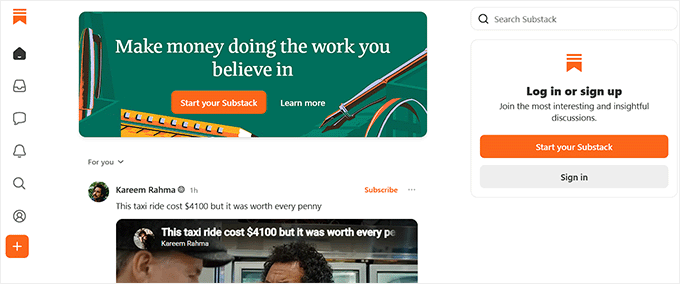
Substack is a publishing platform built around the email newsletter. Every post you write is emailed to your subscribers and published as a web page at the same time.
What makes it different from the other platforms on this list is that there’s nothing to set up. You sign up, name your publication, and start writing. There’s no hosting, no theme to choose, and no plugins to install.
We recommend it for content creators whose main goal is to build an email subscriber list and get paid for their writing as soon as possible.
Our Experience
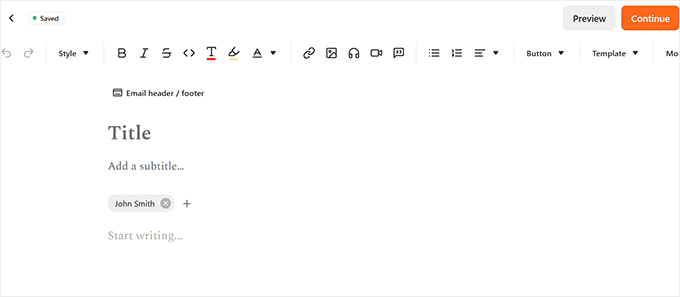
While testing Substack, one standout feature was that every post automatically doubles as an email newsletter.
Instead of using separate blogging and email marketing tools, you can write the content once and send it directly to subscribers.
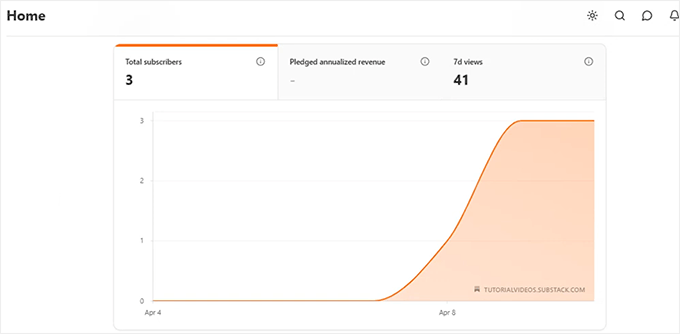
The subscriber dashboard is equally straightforward.
It gives you the option to import an existing email list or start collecting subscribers right away, which makes it easy to move an audience over or grow one from scratch.
Substack also helps with the hardest part of starting a blog, which is getting those first readers.
Other writers can recommend your publication to their subscribers, and your posts can be distributed to the Substack app and Notes. That built-in discovery is something a brand-new self-hosted blog simply doesn’t have on day one.
The trade-off is that convenience gets expensive later.
Substack takes 10% of every paid subscription, and payment processing fees come out on top of that. That’s a fine deal when you’re earning $100 a month. It’s a very different conversation at $10,000 a month, and there’s no plan you can upgrade to that removes the cut.
You’re also working inside someone else’s product. You can’t add features, redesign your site beyond a logo and colors, or control much of how your pages are structured for search engines. And while you can export your posts and subscriber list, the audience relationship largely lives on Substack’s network rather than on a site you own.
4. Medium – Best for Reaching an Existing Audience
Testing process: Some members of the WPBeginner team still publish essays and personal writing on Medium because it’s an easy way to reach readers without managing a website.
| Best for | Reaching an existing audience without running a site |
| Pricing | Free; optional Partner Program earnings |
| Pros | • Free, with no hosting or maintenance • Built-in audience helps you get discovered • Clean, distraction-free writing • Great for testing ideas and repurposing content |
| Cons | • Little control over design and branding • You don’t fully own your audience • Monetization limited to the Partner Program • Paywalled posts limit who can read your work |
Medium is a publishing network that thousands of writers post into, with a shared readership on top. It gives you access to an existing audience of readers who are already looking for interesting content.
You don’t build a website on Medium. You publish into an existing one, and readers discover you through the platform’s feeds, topics, and publications.
We recommend it for writers who care more about being read right now than about owning a long-term asset.
Our Experience
Medium has the best pure writing experience of any platform that we’ve tested so far.
The editor is a blank page. You start typing, and formatting options appear only when you highlight text or need them. There are no sidebars, settings panels, or notifications competing for your attention.
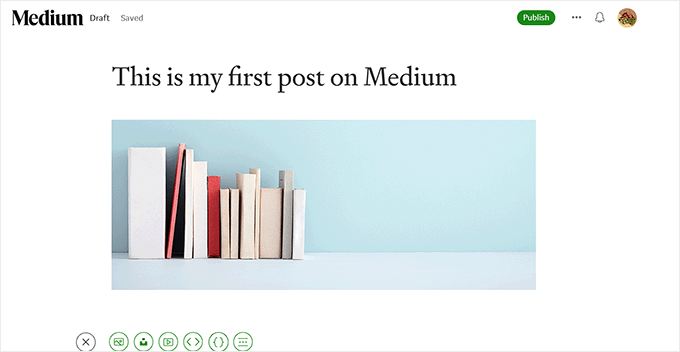
The published result looks good automatically. Typography, spacing, and mobile formatting are all handled for you, so a first-time writer’s post looks as polished as a professional’s.
The real benefit is its distribution.
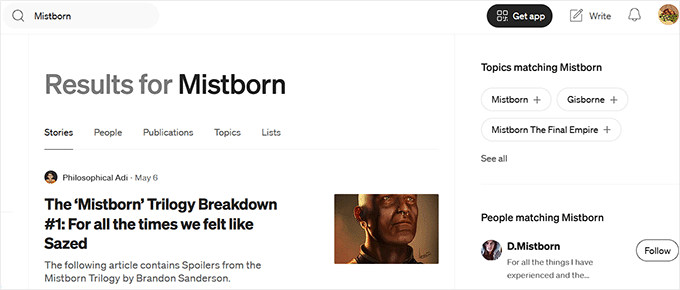
When we published a post, it could appear in the feeds of readers following that topic, without us doing any promotion. You can also submit your work to established publications on Medium, which puts it in front of an audience those editors have already built.
For a brand-new blog, that’s a meaningful head start. A self-hosted site earns its first hundred readers, but on Medium, some of them are already there.
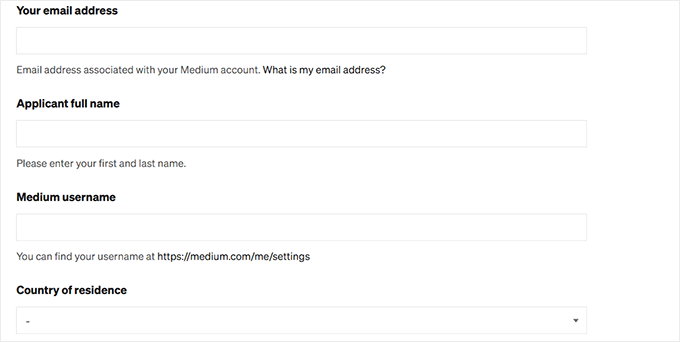
Medium also has a Partner Program that pays writers based on how much paying members read their work, and it can promote strong posts to a wider audience. You’ll need a minimum number of followers before you can join.
However, Medium isn’t the best choice if you want to build a long-term business.
On Medium, you’re building on rented land. Your posts live at a medium.com address, and new publications can no longer use a custom domain. If the platform changes how it distributes content or pays writers, your traffic and income change with it, and there’s nothing you can do about it.
Your monetization options are limited to what Medium offers.
You can’t freely add your own membership system, sell digital products, or customize the experience the way you can on a self-hosted website.
Our honest take is that Medium works best as a distribution channel rather than a home base. Many writers publish on their own WordPress site first, then republish a version on Medium to reach new readers. That way, you get the exposure without giving up ownership.
For more details, you can take a look at our WordPress vs. Medium comparison.
5. Wix – Best for All-in-One Business Websites With a Blog
Testing process: We focused on Wix’s AI website builder, blog features, templates, and built-in business tools.
| Best for | An all-in-one business website with a blog |
| Pricing | Free plan; premium from $17/mo |
| Pros | • Easy drag-and-drop builder • Professionally designed templates • AI builder speeds up setup • Built-in hosting, security, and marketing tools |
| Cons | • Blogging and SEO weaker than WordPress • Free plan caps storage at 500MB and bandwidth at 1GB • You can’t change your template once you pick one • Costs rise as you upgrade • Locked in, with no easy migration out |
Wix is one of the easiest website builders we’ve tested. It combines professionally designed templates, an intuitive drag-and-drop editor, and built-in business tools to help you create a professional-looking website without any coding.
We recommend it if your priority is building a beautiful website where blogging supports your business rather than being the main focus.
Our Experience
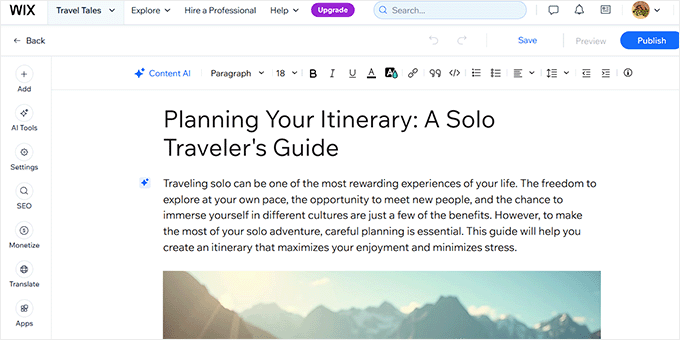
One of the things we liked most about Wix was how easy it was to start a blog. The setup process guided us through creating a website, and within a few minutes, we were ready to write and publish our first post.
The blog editor covers the fundamentals well: writing and formatting articles, organizing categories, and dropping in images and video. While they aren’t as advanced as WordPress, they’re more than capable of supporting a business blog.
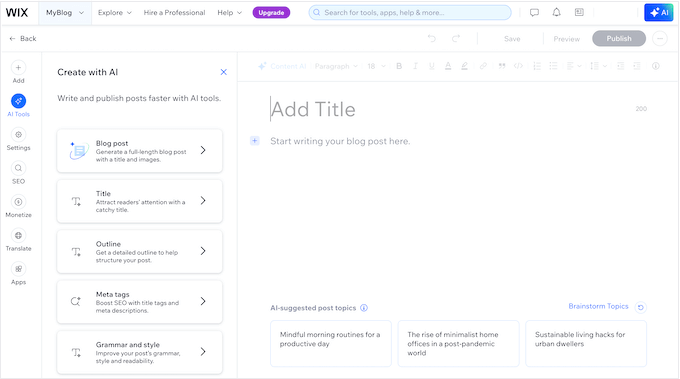
Wix’s AI website builder is the most interesting part. Answer a few questions about the type of blog we want, and it generates a whole site. It set up dashboard, recommended relevant built-in tools, and even created three sample blog posts based on the information we provided.
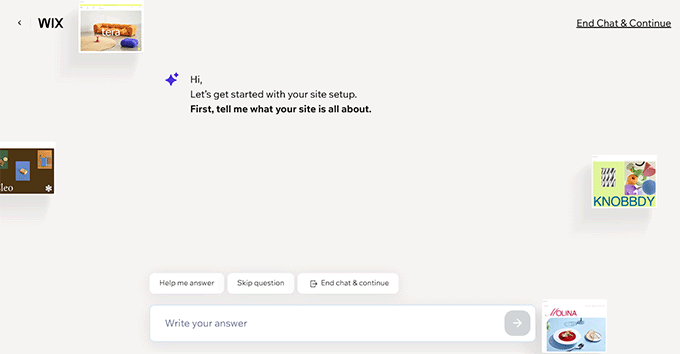
Even so, we noticed a couple of limitations. The AI website builder was a bit slow, and we couldn’t switch to another browser tab while it was generating our site.
We also found that the AI-generated blog posts were quite thin, so we’d recommend rewriting and expanding them before publishing if you want them to perform well in search results.
As your blog grows, Wix also gives you several ways to monetize it.
You can display ads, create membership plans, promote affiliate products, or sell physical and digital products without installing additional tools.
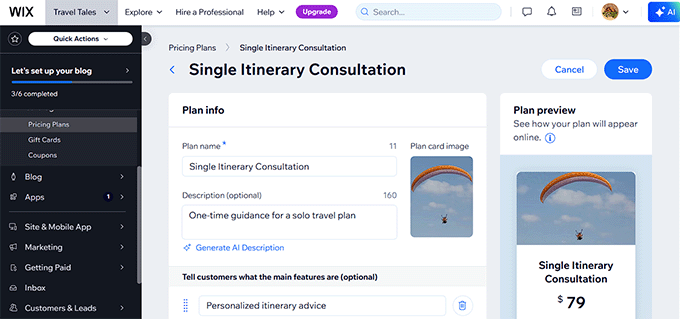
Still, Wix doesn’t offer the same blogging flexibility as WordPress. Its blogging features and SEO tools are more limited, so it’s a better fit if your blog supports your business instead of being the main focus of your website.
You should also remember that Wix is a closed platform. While that’s what makes it so beginner-friendly, it also means you’re committing to its ecosystem.
If you decide to move your website elsewhere in the future, then there’s no simple way to migrate everything, and your monthly costs can increase as you upgrade to higher-tier plans.
Overall, we think Wix is an excellent choice if you want an easy way to build a professional-looking website with a blog. For more details, you can check out our Wix vs WordPress review.
6. Squarespace – Best for Beautiful Portfolio Websites
Testing process: We tested Squarespace for this comparison, evaluating its templates, website builder, blogging features, and customization options.
| Best for | A beautiful, design-first website |
| Pricing | From $10/mo (billed annually) |
| Pros | • Beautiful, professionally designed templates • Easy-to-use visual editor • Great galleries and portfolio layouts • Built-in blogging, eCommerce, and marketing |
| Cons | • Blogging weaker than WordPress • Less SEO and customization control • Pricier than self-hosted WordPress |
Squarespace is a design-first website builder that makes it easy to create a professional-looking website. It’s quite popular among photographers and artists.
Their website templates are some of the best we’ve seen, making it an excellent choice if showcasing your work is more important than publishing lots of blog content.
Our Experience
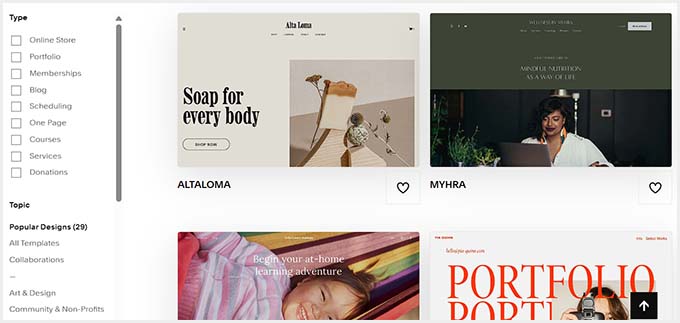
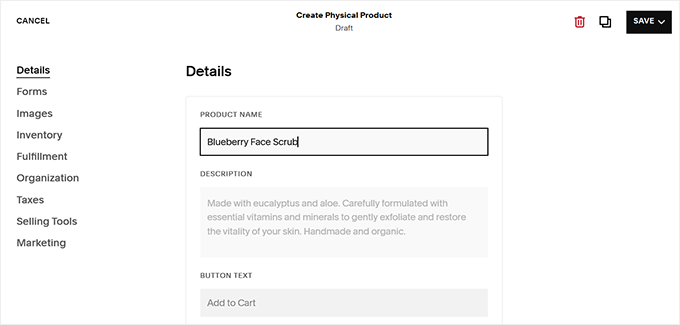
The first thing that caught our attention was the quality of Squarespace’s templates. We started with the Myhra template, and it gave our blog a polished, professional look right away.
Once we selected it, Squarespace quickly generated the website, so we could start replacing the demo content and publishing blog posts almost immediately.
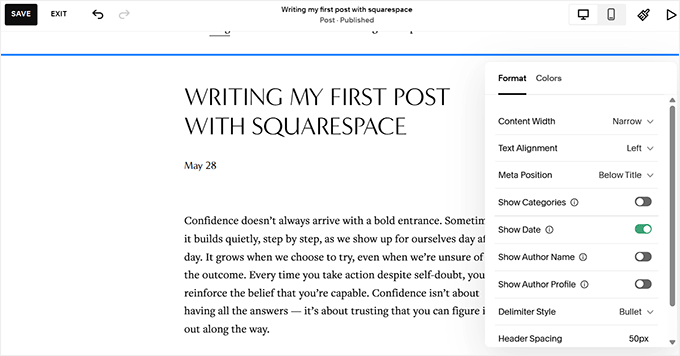
During testing, we found the blogging tools easy to use. We had no trouble writing posts, organizing content, and adding images, videos, and other media.
The editor felt straightforward, and the finished articles looked great on both desktop and mobile devices.
eCommerce features, email marketing, and analytics are built in as well.
That gives you room to grow the blog into a business over time by selling products, services, memberships, or online courses, without switching platforms.
Where Squarespace falls behind is long-term flexibility. While it’s a great platform for publishing a beautiful blog, you trade some blogging power, SEO flexibility, and ownership for that polished, all-in-one experience.
If your blog outgrows the platform, migrating to another platform isn’t nearly as smooth as moving a self-hosted site.
We still think Squarespace is a great option if you want a beautiful, design-focused website with a blog and don’t want to spend time on technical setup. For a more detailed comparison, you can also see our Squarespace vs WordPress comparison.
Which Is the Best Blogging Platform?
If you’re looking for the best blogging platform overall, then we recommend WordPress.
It’s easy enough for beginners to get started, yet powerful enough to grow with your website. Whether you want to publish a personal blog, business blog, build a business website, sell products, create online courses, or launch a membership site, WordPress gives you the flexibility to do it all.
Still, WordPress isn’t the right choice for everyone.
If you want a platform that’s built specifically for paid memberships, then Ghost is an excellent alternative. If you simply want the fastest way to start a newsletter, then Substack is a great place to begin.
For writers who only want to publish articles and reach an existing audience, Medium is worth considering.
And if your priority is creating a beautiful portfolio or business website with occasional blogging, then Wix or Squarespace may be a better fit.
Frequently Asked Questions About Blogging Platforms
Which is the best blogging platform for SEO?
WordPress is the best blogging platform for SEO. It includes built-in SEO-friendly features and works with powerful SEO plugins like All in One SEO, giving you much more control over your search rankings than most other platforms.
What platform do most bloggers use?
Most bloggers use WordPress. It powers over 40% of all websites, making it the world’s most popular blogging platform thanks to its flexibility, customization options, and large community. Many fortune 500 companies like Microsoft, Facebook, and others also use WordPress to power their business blogs.
How can I make my blog popular?
The best way to grow a blog is to consistently publish helpful content and promote it. Focus on solving your audience’s problems, optimize your content for SEO, and share it through email newsletters and social media. For more tips, see our guide on how to increase your blog traffic.
How long does it take for a blog to become popular?
Most blogs take several months to start growing. Many blogs start seeing steady traffic within 6-12 months, while significant growth often takes a few years of consistent publishing.
Is blogging dead because of AI?
No, blogging isn’t dead because of AI. People still search for helpful, trustworthy content every day. While AI can help you write faster, readers and search engines continue to value original experiences, expert insights, and useful advice that AI alone can’t provide.
We hope this article helped you find the best blogging platform for your needs. You may also want to see our ultimate WordPress SEO guide to improve your blog rankings.
If you liked this article, then please subscribe to our YouTube Channel for WordPress video tutorials. You can also find us on Twitter and Facebook.




Mohammed Bisola
Absolutely on point
WPBeginner Support
Glad you think so
Admin
Dan
You’re missing Substack, Substack is brilliant.
WPBeginner Support
Thank you for sharing your preferred platform
Admin
Dennis Muthomi
The WordPress.org section was spot on. When I started my blog back then I chose WordPress.org for its flexibility and scalability. One thing I would add is to invest time in learning about WordPress security plugins early on. Website security is KEY. That has saved me so much grief and I’ve been able to keep my blog secure as it’s grown.
Your article is an excellent resource WPBeginner!
Dayo Olobayo
I completely agree with the recommendation of WordPress as the best blogging platform. I’ve used WordPress for my own blog and have been impressed by its ease of use, flexibility, and customization options. With thousands of free themes and plugins available, WordPress offers endless possibilities for creating a unique and professional-looking blog.
Additionally, its large community of users and developers ensures that there’s always help available when you need it. This has particularly helped my proficiency in the usage of the platform.
Jiri Vanek
I’ve tried several blogging platforms. I started with Joomla and then Drupal. Each system had its advantages but also its disadvantages. I also tried several so-called blogging portals, but I always encountered some limitations. What I enjoy about WordPress is that there is a solution for 99% of my ideas. The large community of people who can advise and help is also great. For this reason, I ultimately ended up with WordPress. The only downside I see is that it requires care, maintenance, and updates. However, in return, I have complete freedom with my ideas and creativity. Therefore, WordPress is currently the system I want to stay with as long as possible due to its positives.
Dayo Olobayo
Interesting journey! What kind of limitations did you find with the other blogging portals you used? I’m curious to hear your experience. I totally agree with the WordPress community being a huge plus.
yeswitha
thanks for sharing this article is very useful
WPBeginner Support
Glad you found our guide useful
Admin
mohadese esmaeeli
In my opinion, WordPress is the best content management system.We expected Joomla to be able to support a large news website with a substantial number of articles. However, when the number of posts increased, we encountered serious issues, and the system was not suitable for efficient content creation and publication. However, Joomla can be utilized effectively for corporate websites with static content and high security. It particularly excels in the latest versions where many optimization issues are being addressed and improved.
Peter Iriogbe
Here is another great write-up.
I currently use the Blogger platform. I know WordPress is better to use and I and hoping to migrate to WordPress soon. Any recommendations on how to migrate my blog from Blogger to WordPress?
WPBeginner Support
We have a guide on how to do exactly that below
https://www.wpbeginner.com/wp-tutorials/how-to-switch-from-blogger-to-wordpress-without-losing-google-rankings/
Admin
Fajri
Most of platform above offers a drag and drop page builder that make us easier to make a beautiful website. Yet I still prefer wordpress because it’s customization possibility mostly for my marketing purpose. Thanks for sharing this thought..
openteq
Wow, these are all really helpful. Thank you for sharing all of this!
WPBeginner Support
Happy to hear you found our list helpful
Admin
Linda
Great article.Thank you for this.
WPBeginner Support
You’re welcome, glad you found our article helpful!
Admin
James Allen
Thank you for creating this article! I don’t have any real networking connections, so I’m wanting to build up my writer’s portfolio before making my freelancing website public and all that. I felt that blogging would be a great asset in that regard.
WPBeginner Support
It certainly can be, we hope our list helps you find the best starting point for you
Admin
David Myth
Thanks for uploading this article. Cleared many confusions I had and the list seems well researched too.
WPBeginner Support
You’re welcome, glad to hear our list was helpful!
Admin
Body And Blast
Thanks for sharing a fine content with us.
WPBeginner Support
You’re welcome, glad you found it helpful!
Admin
purohitsforpooja
This beginners’ guide on choosing the best blogging platform is incredibly informative. It breaks down the key factors to consider when selecting a platform, making the decision-making process much easier for newcomers. The insights provided in this article are invaluable for anyone looking to start their blogging journey. Thanks for sharing such a helpful resource!
WPBeginner Support
Glad you found it helpful!
Admin
Patricia
Thank you for sharing such a wonderful blog. Each and every detail is explained very well.
WPBeginner Support
Glad you think so and that you find our articles helpful!
Admin
Namrata Sinha
Thanks for sharing this amazing piece of content. This one is really helpful.
WPBeginner Support
Glad our article was helpful!
Admin
Jacqueline
absolutely excellent article thank you
WPBeginner Support
Glad you liked our article
Admin
aditya
Great article, thanks for sharing with us! It was really well written and simplified, even little kids can understand the language written here, thanks alot!!!
WPBeginner Support
Glad you foud our article easy to understand
Admin
Lora Collin
Wow, these are all really helpful. Thank you for sharing all of this!
WPBeginner Support
You’re welcome, glad our guide was helpful!
Admin
Aayushi Prakash
It was a wonderful time while going through your article and I’ve got what I was looking for
I’m so glad you chose to share this article. It’s given me a ton of great information that I need for myself, but it was just too hard trying to find everything on Google.
For beginners, this is a well-defined and quite instructive site. Thank you for sharing this information in such a straightforward yet beautiful manner.
Wish you all the best for your future endeavours. Once again, thank you for your valuable tips and ideas helping freshers like us. I will surely share this beautiful piece of article with my peers and people who actually need guidance.
Liz
Future bloggers, if you didn’t note this site’s URL, it is WPBEGINNER.COM. Of course the WP stands for WordPress. The individuals responding to your questions and comments are associated with WP. Naturally, that is why their responders are totally gung ho, citing that WP is, hands down, the best! And there’s nothing wrong with that. In the end, this site IS a promotion FOR WordPress BY WordPress tho it just so happens to be the BEST you can get and they’re certainly not going anywhere soon. As long as there are bloggers and readers like you, WordPress will be powering great websites! Personally, I’m going with WordPress!!
WPBeginner Support
To clarify, we are not a part of WordPress itself, we simply use WordPress and enjoy it very much. You can learn more about us on our about us page below:
https://www.wpbeginner.com/about-wpbeginner/
Admin
Alex
This is wonderfully helpful information. As someone who is starting a career in digital content creation and content writing, this concise list is invaluable to me.
Thank you!
WPBeginner Support
Glad our guide was helpful
Admin
Karina
Super helpful and informative. Glad I chose WP
WPBeginner Support
Glad you found our content helpful and hope you continue to enjoy WordPress
Admin
simon
Just the information I was looking for! Wordpress.org it is then…
WPBeginner Support
Glad our guide was helpful
Admin
Jane Carey Perez
Thank you for this. I understand now the difference between them. The content is nice and well- explained.
WPBeginner Support
Glad our guide was helpful
Admin
chrissy
So this is basically an advert for Word Press…
Editorial Staff
Nope. We use WordPress ourselves and believe it’s the best blogging platform.
WordPress is an open source software that powers 38% of all websites. We do not receive any compensation from WordPress foundation to recommend WordPress as the #1 provider.
It’s #1 in our list because we believe it’s hands down the best blogging platform that offers users the most features & flexibility.
Admin
Mary
Chrissy I’m with you though I don’t mind. I don’t think Wpbeginner would say all this if they didn’t believe it. I think they have sold me. And everything is a kind of promotion on the net only we may not notice it or choose to ignore it. I wish them (wpbeginner) well.
Ethinn
tumblr is great thanks
WPBeginner Support
Glad you found one of our recommendations helpful
Admin
Vinayak
Thanks for the great article.Can one directly move from wordpress.com to a hosting site like Bluehost,or does one need to move to wordpress.org first?
WPBeginner Support
WordPress.org sites are hosted sites, you do not move the site directly to WordPress.org
Admin
jen
helpt me alot, thanks
WPBeginner Support
You’re welcome
Admin
Ayush Mishra
Thankyou for such great information about blogging. It definitely helped me to increase my knowledge about blogging. Such a great article .
WPBeginner Support
Glad you found our content helpful
Admin
Peter Christianson
Thank you for all of the information. It seems like there is so much to learn!
WPBeginner Support
Glad our guide was helpful
Admin
harry
Great tips! Thank you for this information. It is really informative and helpful.
WPBeginner Support
You’re welcome
Admin
Alen Drew
Just read your article and I must say, it is one of the most informative posts that I have read about blogging platforms.
If you ask my opinion, I personally love Wordpress, it is easy to use, manage and customize. Infact I have a number of blogs running on Wordpress with Bluehost and I’m quite satisfied with their performance.
Jonah
Very informative. Thank you.
Is it possible for someone to move from blogger to WordPress.Org?
If yes, how is it done?
WPBeginner Support
You would want to take a look at our guide below:
https://www.wpbeginner.com/wp-tutorials/how-to-switch-from-blogger-to-wordpress-without-losing-google-rankings/
Admin
sachin
i wanna to know more about blogging
WPBeginner Support
It would depend on what you’re looking for but our guides on our site should be able to give you a good starting point
Admin
udayavani
valuable information.
WPBeginner Support
Thank you
Admin
Shahzad
Thanks for valuable information about different blogging platforms. This article is very informative and helpful for everyone.
WPBeginner Support
Glad you found our content helpful
Admin
ANDO
Thanks for sharing this
WPBeginner Support
You’re welcome
Admin
FrankPereiro
Hi there, I have a huge problem with my WordPress hosted blog. Hackers can easily enter into my server and get rid of my blog files. It has happened several times already and it’s really frustrating.
Do you have any tips for this problem? I have to start a new blog, again.
Regards,
WPBeginner Support
For our security recommendations for WordPress, you would want to take a look at our article below: https://www.wpbeginner.com/wordpress-security/
Admin
anshula
This post was very helpful .
WPBeginner Support
Glad our guide was helpful
Admin
Osagie Iyayi
Great post !
I got value..
A question though ; does WordPress allow Google AdSense ?
WPBeginner Support
Glad our post was helpful, WordPress.org sites allow Google Adsense
Admin
B. Palmer
This article was extremely helpful. Also, thank you for the hyperlinks for extra information.
WPBeginner Support
Glad our recommendations were helpful
Admin
E Luis De La Rosa
This was a very helpful and informative article! I was just curious about which platform you would consider to be the best free alternative to wordpress.org. I would love to eventually use it but for now my finances don’t really allow for too much more. Thank you!
WPBeginner Support
For a starting point, you can look at WordPress.com as they are using WordPress but with more restrictions
Admin
Smishhra
Very informative post,really liked this post… Thanks for sharing.
WPBeginner Support
You’re welcome, glad you found our guide informative
Admin
S Mishra
Thank you for this wonderful & helpful post.
WPBeginner Support
You’re welcome, glad our guide was helpful
Admin
Sanjay Mishra
I just want to say thanks for your wonderful post…
WPBeginner Support
You’re welcome, glad you liked our post
Admin
Danny
Hi,
Thanks for sharing the information.
WPBeginner Support
You’re welcome
Admin
BoTree Digital
Thanks for sharing this. It will help us to publish content.
WPBeginner Support
Glad you found our content helpful
Admin
citcchandigarh
thank you for this article.
WPBeginner Support
You’re welcome
Admin