


Many business owners set up their WordPress site and expect it to just work. But without regular maintenance, things can break down, slow down, or even get hacked.
At WPBeginner, we’ve spent years testing WordPress tools, helping users troubleshoot issues, and reviewing maintenance services.
We’ve also had experience running maintenance services ourselves. Along the way, we’ve seen what reliable support looks like, and what to avoid.
In this guide, I’ll go over the 6 best WordPress maintenance services. These tools will help keep your site secure, fast, and up to date, so you can focus on what matters most: running your business. ⚙️
Quick Look ⚡: Best Website Maintenance Services for WordPress
Take a quick look at my top picks of the best website maintenance services for WordPress:
| # | Service | Best For | Pricing |
|---|---|---|---|
| 🥇 | WP Buffs | Overall best site maintenance | $79/month |
| 🥈 | Codeable | One-time maintenance | $80 – $150/hr + 17.5% service fee |
| 🥉 | GoWP | Offering maintenance on client sites | $39/month |
| 4 | SiteCare | Growing website maintenance | $205/month |
| 5 | Seahawk Media Services | Beginner websites | $49/month |
| 6 | Valet | High-traffic or high-stakes WordPress sites | Request a quote |
Why Use a Website Maintenance Service?
Managing updates, backups, and security takes a lot of time. A maintenance service handles all these technical tasks in the background by keeping your site secure and fast so you can focus on growing your business.
For example, if you run an online store, regular updates help prevent checkout errors that could cost you sales. If you publish blog content, automated backups ensure you don’t lose your work if something breaks during an update.
Maintenance services are also helpful if you manage multiple websites or build sites for clients. Instead of manually checking each site for plugin updates, downtime, or security issues, the service monitors everything for you and fix problems before you notice them.
They’re especially useful for:
- 💼 Small business owners who don’t have time to handle technical tasks
- 🏄 Freelancers and agencies managing multiple client websites
- 📝 Bloggers and content creators who want peace of mind with backups and uptime monitoring
- 🛍️ eCommerce site owners who need consistent performance and security
In short, a maintenance service helps you avoid unexpected issues, reduce downtime, and keep your website performing at its best without needing technical expertise.
How I Reviewed the Best Website Maintenance Services
To find the best options, I looked closely at what a good WordPress maintenance service should offer.
Here are the key features I focused on:
- Backups: I tested how each service handles backups and prioritized those that create regular WordPress backups, often multiple times per day. This ensures that if something goes wrong, you can quickly restore your site without losing important data.
- Expert WordPress Support: I reviewed the quality of support and looked for services with real WordPress experts behind them. Having access to knowledgeable support makes a big difference when you need help fixing common errors or unexpected issues.
- Security: I tested each service’s security features by checking how they monitor and respond to threats. The best providers run automated scans and can quickly deal with issues like malware or hacking attempts before they cause serious damage.
- Timely WordPress Updates: I evaluated how reliably each service handles updates, be it plugins, themes, and core files, to help you avoid compatibility problems or security risks.
🌟 Our Recommendation: You can completely rely on WP Buffs. They offer excellent 24/7 WordPress maintenance and have been recommended by top companies like SiteGround and HubSpot.
Why Trust WPBeginner?
At WPBeginner, we’ve spent over 17 years helping WordPress users keep their websites secure, fast, and problem-free. Our team has hands-on experience with site maintenance, performance optimization, and fixing all kinds of WordPress issues.
For this article, we personally tested each WordPress maintenance service on real websites. We evaluated things like update reliability by monitoring uptime over a 30-day window, tested live chat response times, and triggered controlled plugin errors to assess support speed.
Our goal is to help you find a service that keeps your site in top shape. That way, you can focus on growing your business, not troubleshooting tech problems.
Check out our editorial process page for more insights into our process.
With all this in mind, here are my top picks for the best WordPress website maintenance services:
1. WP Buffs – Best Overall WordPress Maintenance Service
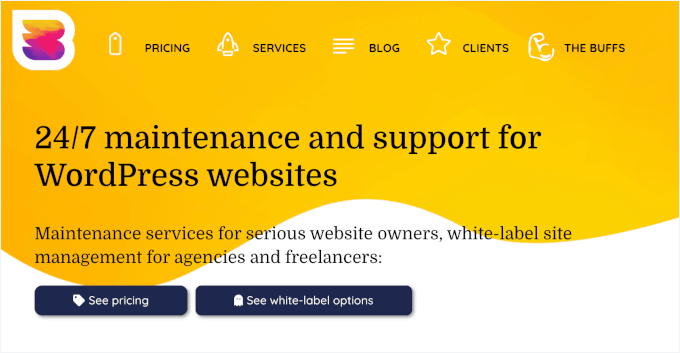
| Pros of WP Buffs | ✅ 24/7 WordPress maintenance (updates, uptime monitoring, cloud backups) ✅ Specialized plans for membership and eCommerce sites ✅ Weekly PDF reports for clear update tracking ✅ 24/7 emergency support with fast response times ✅ White-label service for agencies |
| Cons of WP Buffs | ❌ Malware removal only included in the highest-tier plan ❌ Plugin updates are weekly (not ideal if you need daily updates) |
| Pricing | Starts at $79/month Top plan ($219/month) includes priority support, malware removal, and speed optimization |
WP Buffs is a premium WordPress website maintenance company that provides one of the best services on the market. They’ve partnered with and been recommended by top companies like SiteGround, HubSpot, Rank Math, and WP Engine.
My Experience
Their maintenance services cover all the essential tasks, such as weekly WordPress updates, 24/7 emergency support, 24/7 uptime monitoring (which checks your site every minute to ensure it hasn’t crashed), cloud backups, security optimization, and more.
One feature I really like is their weekly PDF reports. These show every change made to your site, so you’re always in the loop. Their 24/7 support team acts fast — if your site goes down, they start fixing it within 60 seconds.
I also discovered that they offer 24/7 unlimited website edits, which allows you to request content updates, plugin tweaks, or CSS changes without paying extra hourly fees.
Plus, if you run a complex membership site or an online store, keeping everything updated and secure can be tough. WP Buffs specializes in handling this with weekly updates and detailed reporting.
They offer tailored plans for eCommerce sites, membership sites, and more.
⭐ Why I recommend WP Buffs: If you need a strong maintenance service for a complex website, like a membership site, WP Buffs is a solid choice. Their weekly updates, strong security, and detailed reports give you peace of mind and keep your site running smoothly.
2. Codeable – One-Time Fixes from Vetted Developers

| Pros of Codeable | ✅ Fully custom solutions tailored to your exact project needs (no fixed plans) ✅ Ideal for one-off tasks like fixes, custom features, or site setups ✅ Carefully vetted WordPress developers ensure high-quality work ✅ Support team helps match you with the right expert developers ✅ Satisfaction guarantee with a full refund if you’re not happy |
| Cons of Codeable | ❌ Requires a clearly defined project (can be challenging for WordPress beginners) ❌ Pricing is only provided after submitting your project ❌ Additional 17.5% service fee on top of developer rates |
| Pricing | Hourly rates typically range from $80 to $150 + 17.5% fixed service fee charged by Codeable |
Codeable is the best for specific tasks because sometimes you don’t need ongoing maintenance, just one-time expert help. They connect you with the top 2% of WordPress developers.
My Experience
Whether you need a security audit, a complex plugin setup, or speed optimization, Codeable lets you hire a real pro for exactly what you need. I found that only 2% of developer applicants pass Codeable’s rigorous technical exams to join the platform.
Unlike other services, Codeable doesn’t offer fixed plans but a custom approach where you define the project scope. Developers provide a total project estimate upfront, so you know exactly how much the task will cost before agreeing to the work.
⭐ Why I recommend Codeable: If you don’t want to commit to a full maintenance plan and just need expert help occasionally, Codeable is an excellent choice. You get top developers for one-time fixes and can then manage your site on your own.
3. GoWP – White-Label Maintenance for Freelancers and Agencies
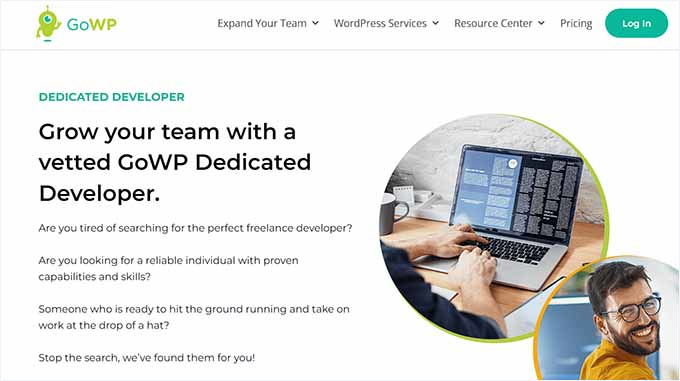
| Pros of GoWP | ✅ Visual validator with snapshots (up to 20 pages) to catch layout issues after updates ✅ 24/7 team with fast turnaround (most tasks done within 8 hours) ✅ White-label service for agencies and freelancers ✅ Training resources and community support for ongoing learning |
| Cons of GoWP | ❌ Tasks exceeding 30 minutes incur additional costs ❌ Geared toward WordPress freelancers and agencies (may be harder for beginners) |
| Pricing | Starts at $39/month for basic maintenance $99/month plan includes unlimited content, CSS, and design edits Additional fees apply for tasks over 30 minutes |
GoWP is a white-label WordPress maintenance service designed for freelancers and agencies managing multiple client websites.
Their team handles all the technical work behind the scenes, so you can deliver updates and reports under your own brand. This allows you to hand off routine tasks like plugin updates and content edits while still keeping your own branding front and center.
My Experience
One standout feature is their 24/7 content edits. Whether it’s updating text, swapping images, or uploading PDFs, GoWP’s team gets it done – and in our testing, we verified that most tasks are completed within 8 hours.
You can use their services for your own site too, but it really shines when you’re managing multiple client sites.
⭐ Why I recommend GoWP: GoWP is ideal for freelancers and agencies who want to deliver reliable WordPress maintenance without doing all the hands-on work. It saves time, keeps clients happy, and helps you focus on growth instead of routine tasks.
4. SiteCare – Comprehensive Maintenance for Growing Businesses
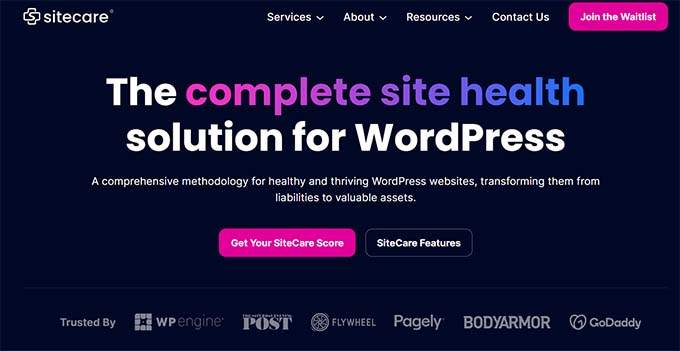
| Pros of SiteCare | ✅ Free malware cleanup and hack repair included in all plans ✅ Fast site recovery to restore uptime after major issues ✅ Automated updates with regular reports for performance and security ✅ Built-in SEO improvements to help boost rankings ✅ All-in-one service (design, development, and hosting available) |
| Cons of SiteCare | ❌ Live chat support limited to weekdays (9 AM–8 PM EST) ❌ Content edits and quick fixes only available on higher-tier plans |
| Pricing | Starts at $205/month |
SiteCare is a high-end, proactive WordPress management agency and powerful maintenance provider built for fast-growing websites. It handles everything from malware removal to uptime monitoring, making it a great all-in-one solution for businesses that can’t afford downtime.
My Experience
They proactively update your WordPress core, themes, and plugins and scan your site for malicious code. With regular health and performance reports, you’ll always know how your site is doing.
Their premium plan also includes content edits, allowing you to offload routine changes like updating text and images on your WordPress blog.
⭐ Why I recommend SiteCare: SiteCare is a great choice for growing websites that need constant monitoring, top-tier security, and SEO help. Their hands-on support and proactive maintenance make them a reliable partner for scaling online businesses.
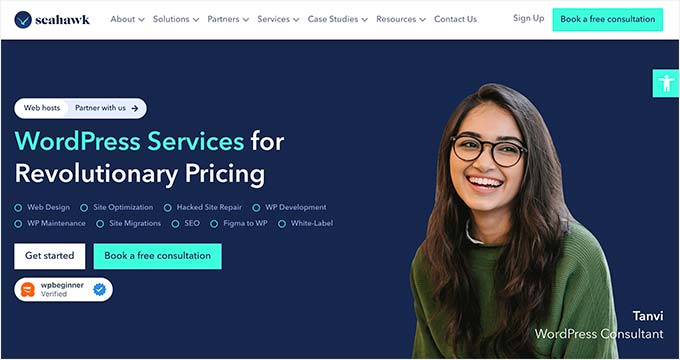
5. Seahawk Media Services – Affordable Maintenance for Beginners
| Pros of Seahawk Media | ✅ 24/7 website monitoring with instant updates to reduce downtime ✅ Malware removal included at no extra cost ✅ White-label support with unlimited edits (great for agencies) ✅ Wide range of extra services (WooCommerce, SEO, design, Figma conversion) |
| Cons of Seahawk Media | ❌ Plans cannot be transferred between websites ❌ Performance optimization limited to once per year (SeaCare annual plan) |
| Pricing | Starts at $49/month for maintenance plans SeaCare Pro Annual plan costs $999/year (includes a 30-day free trial) |
Seahawk Media is a professional WordPress maintenance service that offers everything you need to keep your site safe and running smoothly.
Their features include malware removal, website scanning, uptime monitoring, cloud backups, 24/7 expert support, and theme and plugin updates.
My Experience
At WPBeginner, we have worked a lot with Seahawk over the years, and we’ve always been satisfied with their professional maintenance services.
When you sign up, you get a dedicated account manager who knows your site and business well. This personalized support means issues get solved faster, and your website stays in top shape.
One thing that makes Seahawk stand out is their white-labeling option, which allows agencies or hosts to seamlessly rebrand Seahawk’s services as their own. Many web hosting companies partner with them to offer maintenance services under their own brand.
⭐ Why I recommend Seahawk Media Services: If you own a small business website, run a WooCommerce store, or manage multiple client sites, Seahawk Media is a solid choice. Plus, their white-label support and wide range of services make them perfect for agencies and businesses that want reliable maintenance plus extra help with their sites.
6. Valet – Hands-On Maintenance with Staging-Site Testing

| Pros of Valet | ✅ Updates are tested on a staging site before going live ✅ Offers additional WordPress support like design, content, SEO, and hosting ✅ 24/7 uptime monitoring to keep your site online |
| Cons of Valet | ❌ No transparent pricing (quote required) |
| Pricing | Custom pricing (quote-based) Similar services typically start around $200/month |
Valet offers hands-on WordPress maintenance and support services designed for growing businesses.
My Experience
What sets them apart is their practice of testing all updates on a staging site (a private, hidden clone of your website) before applying them live – helping you avoid the risk of site-breaking changes.
In addition to managing core updates, plugins, backups, and malware scans, Valet also provides performance tuning and error troubleshooting.
⭐ Why I recommend Valet: We found Valet to be an excellent choice for businesses that want a more thorough and cautious approach to maintenance. Their staging site testing and full-service agency support make them ideal for high-stakes or complex WordPress sites.
What Is the Best Website Maintenance Service for WordPress?
🥇 Best overall: WP Buffs offers the best maintenance service for WordPress websites and online stores. Their team of experts constantly monitors your website, creates backups, performs routine updates quickly, and provides 24/7 emergency support.
🥈 Best for one-time fixes: If you just want to hire a developer for one-time maintenance, you should check out Codeable.
🥉 Best for agencies: If you’re a freelancer or an agency that needs maintenance for multiple websites, we think GoWP is a great choice as well.
Frequently Asked Questions About WordPress Maintenance Services
Here are some questions that are frequently asked by our readers about website maintenance services for WordPress:
What are the benefits of using a website maintenance service?
Purchasing a website maintenance service plan can have a huge impact on your website. Some of the benefits include:
- More free time to focus on other aspects of your business
- Improved security and reduced hacking risk
- Faster website loading times
- Regular backups to prevent data loss
Do website maintenance services offer any additional services?
Most website maintenance services also offer additional services that improve user experience on your website. These services can include SEO, website design, speed optimization, content edits, technical support, and more.
Can I maintain my website myself instead of using a service?
Yes, you can maintain your website yourself by manually updating WordPress core, themes, and plugins regularly. You can also use different tutorials and troubleshooting guides on the internet to fix any WordPress error that you are facing.
However, keep in mind that as your website grows, it will become difficult to manage everything. That is why it is a good idea to use a maintenance service.
Related Guides for WordPress Maintenance
I hope this article has helped you find the best WordPress website maintenance services.
You may also want to check out our other WordPress guides for help maintaining your site:
- WordPress Maintenance Costs – How Much Should You Pay?
- Crucial WordPress Maintenance Tasks to Perform Regularly
- Best WordPress Security Scanners for Detecting Malware and Hacks
- Maintenance Page Ideas You Can Use on Your WordPress Site
- How to Enable Automatic Updates in WordPress for Major Versions
If you liked this article, then please subscribe to our YouTube Channel for WordPress video tutorials. You can also find us on Twitter and Facebook.



kzain
The breakdown of the benefits of website maintenance services is spot on. Outsourcing these tasks can be a lifesaver, freeing up valuable time and ensuring your website is running smoothly. The comparison of different services makes it easy to find the perfect fit. Thanks for providing this helpful guide!
Jiří Vaněk
Great comparison of companies that provide website maintenance. When a website outgrows the size and content management capabilities of a webmaster, it’s an excellent choice for maintaining the site’s operation and security. Thank you also for the comparison of pros and cons. I appreciate that you weren’t afraid to include arguments against your own service. I value that. For me, if I ever need such a service, you will be my clear choice. I have only had great experiences with you here on the website, and I believe I would receive the same approach with this service.
Mrteesurez
Thanks for your recommendation, WPbeginner Pro services is a go, with over 16+ years or experience, the story and the background is clear.
For me apart from regular updates, I see backups and prompt support is major factors one need to consider when choose maintenance services, you should be able to contact support Incase anything goes wrong and if many things go, they can easily restore your site with backups.
WPBeginner Support
If you want to manage multiple sites and don’t want to log into the sites manually then you would want to take a look at our guide below:
https://www.wpbeginner.com/showcase/how-to-easily-manage-multiple-wordpress-sites/
Admin
Moinuddin Waheed
Thanks for the recommendation.
I will explore this list and see to it which I can make use of for taking use of single dashboard for maintenance of multiple wordpress websites.
Moinuddin Waheed
Maintenance service for wordpress is a promising career seeing the large user base of wordpress.
I am planning to include maintenance service as well along with website building which I am doing very frequently.
I am not sure if is there any specific plugin that I can install and manage maintenance service of clients from there?
Mark William Evans
Is there a one-time service to analyze and optimize the performance of a WordPress Website?
Mark
WPBeginner Support
We do not have a recommended service for that at the moment but we will keep an eye out.
Admin